Wabi - Virtual Phone Number
- 3.7
- Rating
- 5.00M
- Installs
- Free
- Price

 Analysis by App-foxy
I tried Wabi as a business-focused app for getting a separate virtual phone number, especially for use with WhatsApp Business. That simple purpose makes it appealing if you want to keep customer conversations away from your personal number, but it also means trust matters more than flashy design. A phone number can become part of your identity, your customer contact details, and the recovery path for important accounts, so I paid close attention to the choices the app puts in front of the user.
Wabi is free to install and is made by Applaud Soft. It belongs to the Business category, is rated for Everyone, and has reached over five million installs. Its average score sits at 3.7 from around fifty-six thousand ratings, which suggests that many people find the idea useful while the experience is not equally smooth for everyone. I think that is the right starting point: this is a practical tool with a specific job, not a complete replacement for a normal mobile carrier.
What Wabi is really useful for
The main attraction is separation. If I were helping a small shop, freelancer, online seller, or service provider set up WhatsApp Business, I would not automatically want to publish my private mobile number. A second number creates a boundary between personal calls and customer messages. It can also make a small operation look more organized without requiring another physical SIM card.
You May Also Like

 Blood Strike: 2.5 Anniversary
Blood Strike’s Loadouts Turn Every Drop Into a Tactical Gamble
A close look at Blood Strike’s custom loadouts: how fast access to signature weapons reshapes its battle royale rhythm, rewards preparation, and narrows the gap between fights.

 Pandora - Music & Podcasts
Pandora’s Music Is Easy to Start, but Harder to Recover
Pandora’s strength is its low-effort path from a seed to a station. Its weak spot is how much confidence it asks you to place in connection, setup, and quiet recovery.

 8 Ball Pool
 Is Built on Rivalries, Rematches, and Routine
A close look at the rivalries, rematches, shared routines, and unanswered safety questions that turn a quick pool match into a persistent mobile community.

 Samsung Music
’s Quiet Strength Is Playing What You Already Own
Its reach comes less from spectacle than from dependable access to a personal library. That simplicity is both the app’s strongest retention engine and its ceiling.

 AccuWeather: Weather Radar
AccuWeather Review: A Quick, Clear Forecast for Everyday Decisions
For everyday plans, the best forecast is the one you can understand quickly. AccuWeather makes rain timing, radar, and local conditions easy to act on, with a few trade-offs.

 Hill Climb Racing
Why Hill Climb Racing Still Turns Crashes Into One More Run
A tiny car, a bumpy hill and one more upgrade: Hill Climb Racing keeps resurfacing because its simple chaos makes every near-miss feel personal.
More From Our News Desk



A realistic example would be a home-based baker taking orders through WhatsApp Business. The owner could use one number for family and friends and another for menus, delivery questions, and order updates. When the business becomes quiet for the evening, the owner has a clearer way to mentally switch off. That does not remove the need for good customer-service habits, but it makes the separation easier to maintain.
The app is also useful for people who need a temporary business identity while testing an idea. I would use it to try a new customer channel before printing the number on packaging or committing it to long-term advertising. The important distinction is that a virtual number can be convenient without being as dependable as a carrier-issued line. I would treat it as a working contact method, not automatically as the permanent foundation of every account I own.
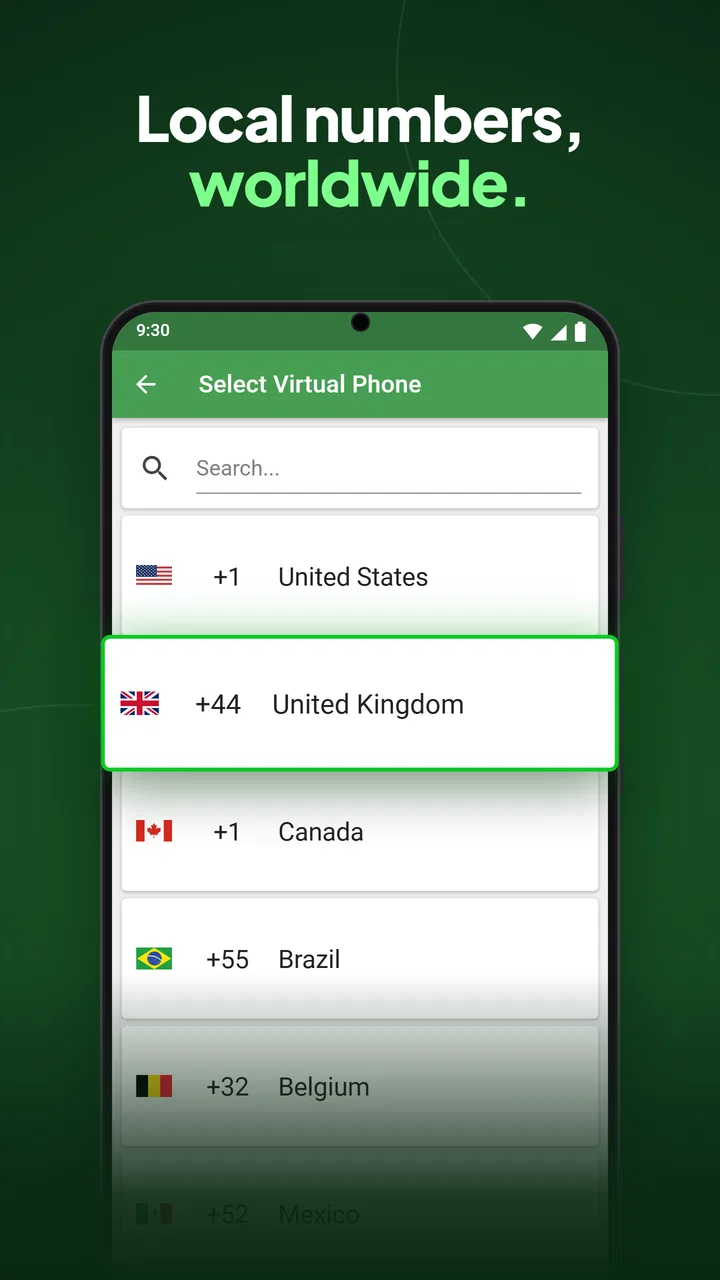
Wabi’s store summary highlights compatibility with WhatsApp Business and the ability to obtain a number quickly. That focus is helpful because it sets a clear expectation: the app is designed around a particular business-messaging workflow. It is not presented as a general-purpose office phone system, a full customer relationship platform, or a replacement for all communication tools.
Setting expectations before choosing a number
The first thing I would decide is what the number is for. If it is only for customer chats, a virtual number may be a sensible fit. If it will receive sensitive account recovery messages, support a financial service, or become the only way to reach you, I would be much more cautious. Losing access to a virtual number can create a bigger problem than losing a casual messaging channel.
I would also keep the number’s role narrow. Using the same number for a public business profile and every private login makes it harder to change later. A better workflow is to use Wabi for the intended WhatsApp Business presence, record the account details somewhere secure, and avoid treating the number as proof of permanent ownership. This is not a criticism of the app alone; it is a sensible precaution with any virtual-number service.
Another practical point is timing. I would not wait until a customer is standing in front of me to create the account. Set up the number first, test the WhatsApp Business registration process, and send a message from another phone. That small test can reveal whether the workflow suits the business before the number appears on signs, invoices, or social profiles.
Trust, controls, and the moments that deserve attention
I’d treat this section as a practical check on control: what you choose to connect to the number, who can access the business account, and what you do before changing devices or stopping use. My rule would be to keep the number’s role narrow and its account details recorded somewhere private. With those habits in place, it’s easier to judge whether Wabi’s convenience suits the level of reliability your business needs.
A business tool where account control matters
Because Wabi handles a phone number rather than just notes or documents, I look at control differently. The number may be used to identify a business, receive verification messages, and maintain conversations with customers. A good user experience therefore depends on more than getting a number in a few taps. I want to know what I am committing to, which choices are visible, and how easy it is to keep the account organized afterward.
The app’s current version is 2.10.1, and its long presence on the market gives it a more established feel than a brand-new utility. Still, popularity is not the same as reliability for every situation. The rating shows a mixed overall experience, so I would not skip testing simply because the app has many installs. A quick trial with a low-risk business channel is more useful than assuming the service will behave exactly like a traditional phone line.
One useful habit is to keep a written record of the number, the WhatsApp Business account attached to it, and the device used during setup. I would store that information privately rather than inside a customer chat. If I later change phones or hand the business to someone else, this record can make the transition less confusing. It also prevents the common mistake of remembering only the public number while forgetting how the account was originally configured.
I would separate the app’s convenience from the security of the accounts connected to it. A number can help with registration, but it should not be the only protection around a valuable business account. Where WhatsApp Business offers its own account-security options, I would enable them and keep recovery details current. The virtual number should be one part of the setup, not the entire safety plan.
Data-sensitive moments in everyday use
The most sensitive moment is registration. This is when I would slow down, read each screen, and avoid granting anything that does not appear necessary for the task. I would also check the Android permission panel after installation rather than relying only on the first prompts. That gives me a clearer view of the access choices currently enabled on my phone.
Another sensitive moment comes when customers start sending personal information. A small business may receive addresses, order notes, medical details, or payment questions through WhatsApp Business. Wabi does not turn those conversations into a secure filing system, so I would avoid copying unnecessary customer data into other places. I would keep chats tidy, remove information that no longer needs to be retained, and use a separate business device or profile if several people need access.
Phone-number apps can also create confusion between identity and ownership. A number displayed to customers may feel like a permanent company asset, but I would not assume that every virtual number has the same long-term status as a carrier line. Before building a large campaign around it, I would test whether the number remains practical for the way I plan to use it. If the business depends on uninterrupted contact, a conventional business line may be the safer choice.
I would be especially careful with messages that ask for codes, passwords, or account changes. A customer should never need a verification code from my business account, and an employee should not forward one casually. The best workflow is to treat every code as private, even when it arrives through a number created for business use. That simple rule protects against a surprisingly common kind of account mistake.
What user agency looks like here
For me, user agency starts with being able to decide how narrowly the number is used. I would not give it to every service that asks for a phone number. I would publish it only where customers genuinely need to contact the business, and I would keep my personal number out of public listings. That boundary is one of the strongest reasons to consider this type of app.
I would also review the app’s settings and the phone’s app-management screens after setup. If I stop using the number, I would remove it from printed materials, update business profiles, and clean up connected accounts rather than simply deleting the app. Uninstalling an app is not the same as closing every account associated with the number, so a deliberate offboarding process is important.
The free price makes experimenting easier, but the app includes in-app purchases ranging from $2.99 to $45.99 per item. I would check the purchase screen carefully before confirming anything, particularly if I am testing several numbers or setting up accounts for a team. A free download can still lead to meaningful spending, and a business owner should know which purchase is being made and why.
That pricing structure also affects how I would compare Wabi with the usual alternatives. A physical SIM or carrier business line may cost more or involve more setup, but it usually fits people who need a stable number for calls, recovery, and long-term ownership. A second messaging account on an existing phone may be simpler for someone who already has a spare line. Wabi is most attractive when the priority is getting a dedicated virtual number with less physical hardware.
Where the app fits, and where it does not
I would recommend trying Wabi to a solo seller, independent consultant, local service provider, or small team that mainly communicates through WhatsApp Business. It can make a personal phone feel more professional by giving customer conversations their own identity. It is also a reasonable option for testing a new business channel before investing in a more formal telephone setup.
I would hesitate to recommend it as the only contact method for a company that cannot afford interruptions. If customers expect reliable voice service, if several staff members need structured call handling, or if the number will be printed across a large advertising campaign, a conventional business-phone provider may be better. A virtual-number app can be convenient while still being the wrong tool for continuity planning.
I would also skip it for anyone who wants a completely private, no-account setup. The value of the app comes from connecting a number to a business-messaging workflow, so there is naturally some account management involved. People who dislike maintaining a second identity, checking settings, or monitoring purchase choices may find a regular carrier line less confusing.
The age rating of Everyone makes the app broadly accessible, but that does not mean every business scenario is equally suitable for every user. A young seller, for example, may still need an adult to help with account ownership, customer boundaries, and payment decisions. The rating describes accessibility, not the level of responsibility involved in running a public business contact channel.
My practical setup routine
If I were setting up Wabi for a small business, I would begin with a clear name for the number in my own records, such as “customer WhatsApp,” rather than mixing it with personal contacts. I would then complete the WhatsApp Business setup, add only the business information I am ready to publish, and test incoming and outgoing messages from a separate phone.
Next, I would create a short internal rule for anyone who might use the account: never share verification codes, never request unnecessary customer data, and never move a sensitive conversation to a personal account without a good reason. This is a non-obvious benefit of separating the number: it gives the business a natural place to define communication habits.
I would also test the number during the hours when the business normally operates and decide what happens outside those hours. A virtual number does not automatically create a support schedule. A simple away message, a visible response window, and a backup contact can prevent customers from assuming that a delayed reply means the business has disappeared.
Finally, I would review the setup after a week rather than leaving it untouched. I would check whether customers are reaching the right account, whether the number is being confused with my personal contact, and whether the purchase model still makes sense. This short review catches problems while changing the public contact details is still easy.
My cautious verdict
After looking at Wabi as both a convenience tool and a trust-sensitive business utility, I see a clear but limited role for it. It can be a practical way to create distance between personal communication and a WhatsApp Business presence. The free entry point makes it approachable, and the focused purpose is easier to understand than a large business-communications suite.
My recommendation comes with conditions. I would use it for customer messaging that can tolerate a little operational uncertainty, not as the sole recovery route for critical accounts or the only telephone channel for a company that needs guaranteed continuity. I would test the number before publishing it widely, keep account records secure, review permissions and purchase screens, and maintain a backup plan.
The mixed rating is worth taking seriously, not as a reason to dismiss the app, but as a reminder to judge it through your own workflow. If your priority is a separate virtual number for a small WhatsApp Business operation, Wabi is worth trying. If your priority is permanent ownership, formal call management, or maximum control over a business phone system, I would choose a traditional carrier or dedicated business-phone service instead.
In short, I like Wabi when it is used deliberately: one number, one clear purpose, careful account handling, and realistic expectations. The best reason to use it is separation, not blind dependence. That makes it a useful option for the right small business, while leaving room for a more established phone solution when the business grows or the consequences of losing contact become too serious.
FAQs for Wabi - Virtual Phone Number
01What is Wabi – Virtual Phone Number used for?
Wabi – Virtual Phone Number provides temporary or secondary phone numbers that can be used for account verification and communication in supported services. It can be useful when you want to keep your personal number private, separate business and personal contacts, or register on platforms that require SMS verification. Availability and supported services may vary by country and number type.
02Can I use a Wabi number to verify WhatsApp or other messaging apps?
Wabi is commonly used for receiving verification codes from selected apps and online services, but successful verification is not guaranteed. Some platforms block virtual, VoIP, recycled, or previously used numbers, and a number may already be associated with another account. Before paying, check the available country, service compatibility, and the app’s current verification conditions.
03Are Wabi virtual phone numbers permanent or temporary?
The duration depends on the type of number and plan you choose. Some numbers are intended for one-time verification, while others may remain available for a longer period if they are rented or renewed. You should read the purchase details carefully, because losing access to a number can also mean losing the ability to receive future login or recovery codes.
04Does Wabi protect my privacy and personal phone number?
Using a separate virtual number can help prevent websites, apps, and contacts from seeing your primary phone number. However, it should not be treated as complete anonymity. Wabi and the services where you use the number may still collect account, payment, device, or usage information. Avoid using virtual numbers for sensitive accounts unless you understand the recovery and privacy implications.
05What should I do if I do not receive the verification SMS?
First, confirm that you selected the correct country and service, then check the number status and wait for the full delivery period shown in the app. Requesting repeated codes too quickly may cause the external service to impose a temporary block. If the SMS still does not arrive, follow Wabi’s support or refund procedure, since eligibility can depend on the number and transaction type.
Pros
- Provides a second number for WhatsApp registration and messaging.
- Helps separate personal and business conversations on one device.
- Useful for contacting people without revealing your primary number.
- Simple interface makes number management quick and accessible.
- Can be convenient for temporary accounts or short-term communication.
Cons
- Number availability and supported countries may vary by region.
- Some services may reject virtual numbers during verification.
- Numbers can expire if they are not renewed or used regularly.
- Calls and SMS features may require additional payment or credits.
- Privacy depends on Wabi’s handling of account and verification data.

Wabi - Virtual Phone Number
Gallery